Guide · 10 min read
Petit Planet River Village Build: Step-by-Step Terraces, River and Waterfalls
A silent timelapse turned into a written build: the three measurements, every Planetmaker tool, where each piece of furniture comes from, and how close it runs to the Area Load cap.

Written with
Strawberry Milk Farm
The build, its measurements and every screenshot on this page come from Strawberry Milk Farm’s Stardrift Test video of 21 April 2026.
By Yieng with Strawberry Milk Farm
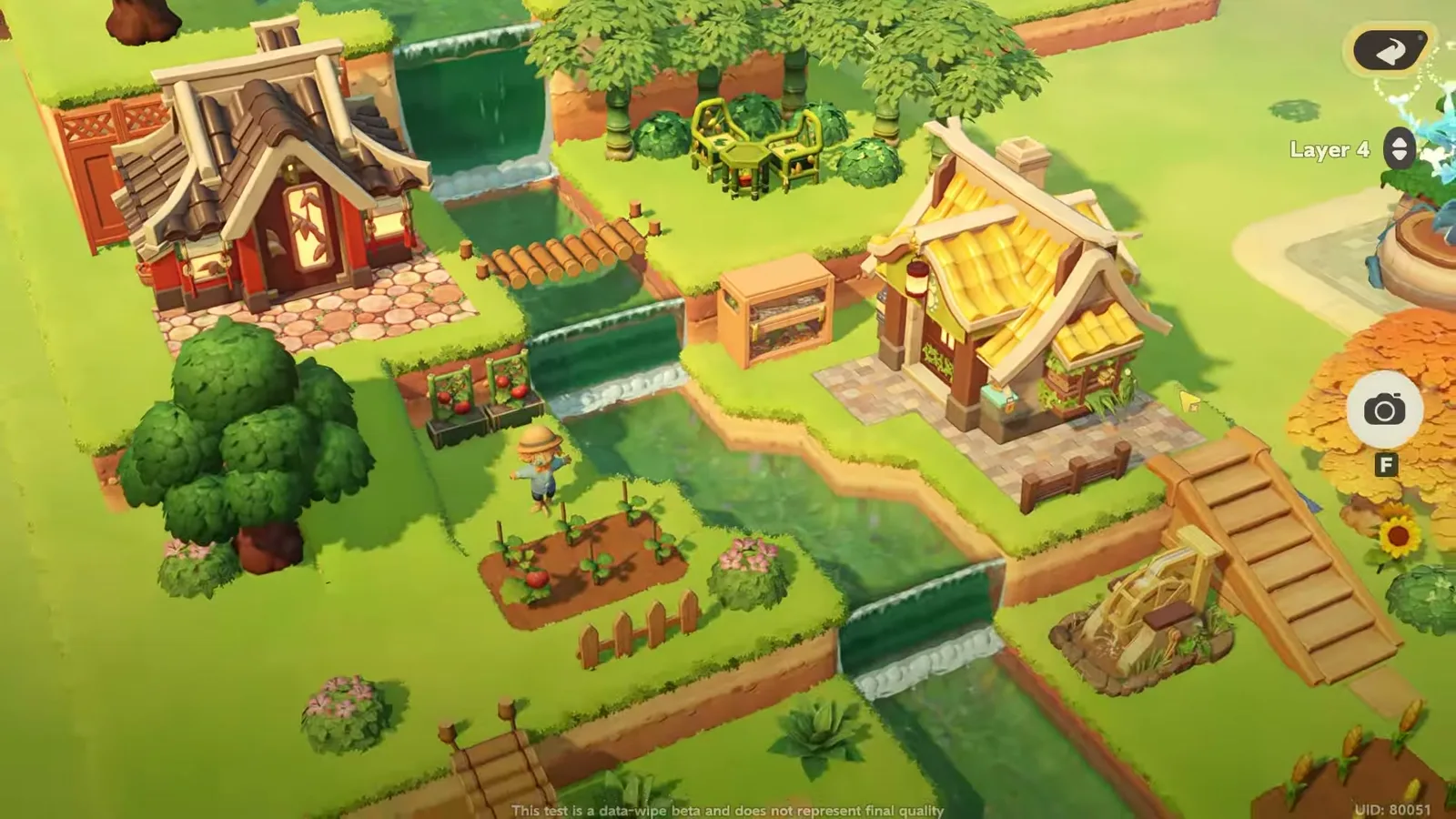
To build Strawberry Milk Farm’s river village in Petit Planet, raise a 24 × 17 cliff base, stack a second layer set 7 tiles back from the front and a top layer set 6 tiles back and 1 in from the side, then paint a river with the Water tool from a pool on the top terrace down every ledge: the game turns each ledge into a waterfall. Two Neighbor houses, a bamboo grove, a waterwheel and a wheat field finish it.
Strawberry Milk Farm recorded the build on 21 April 2026, the first day of the Stardrift Test, and narrates only the three measurements; everything else happens on screen. We watched it frame by frame, wrote down every tool, layer and item name the menus show, and looked each piece up in this site’s furniture database to say where it comes from. Stardrift Test footage throughout: the Final Beta’s Planetmaker differs, and we say where.
How do you build a river village in Petit Planet?
The order matters: terrain first, water second, then houses, furniture, paths and crops. Water painted after the houses has to route around them.
| Step | Planetmaker section | What you do | Video |
|---|---|---|---|
| 1 | Cliff | Outline and fill a 24 × 17 first layer | 0:20 |
| 2 | Cliff | Second layer, 7 tiles in from the front | 0:50 |
| 3 | Cliff | Top layer, 6 in from the front and 1 from the side, plus a 10-deep back block | 1:12 |
| 4 | Water | Pool on top, a channel down every ledge, a wide pool at the bottom | 2:06 |
| 5 | Items | Trees, the two houses, bridges, bamboo grove | 3:02 |
| 6 | Items | Seating, terrarium, waterwheel, steps | 3:41 |
| 7 | Path | Four path styles, one per area | 3:59 |
| 8 | Precision Farming | Wheat and tomatoes by hand, fence, haystacks | 4:26 |
Which Planetmaker tools do you need?
All of it is done in the Planetmaker, which in the Stardrift Test had four working sections: Items, Path, Cliff and Water. Cliff and Water share one tool row: 1 Edit to add, 2 to remove, 3 Shape Edges (the scissors), and a fourth button with no label on screen. A Tile slider sets the brush to 1, 2 or 3 tiles (walls at 1, fills at 3), and a Layer selector picks the height: this terrain sits on Layer 6.
That is the first thing to know if you are playing the Final Beta: there, the Planetmaker opens with only Items and Path unlocked and the two terrain sections locked, as Emiiary’s daily routine video shows. The terrain tools come later in progression, so plan this build rather than start it on day one; the beginner guide covers what comes first.
Step 1: the 24 × 17 first layer
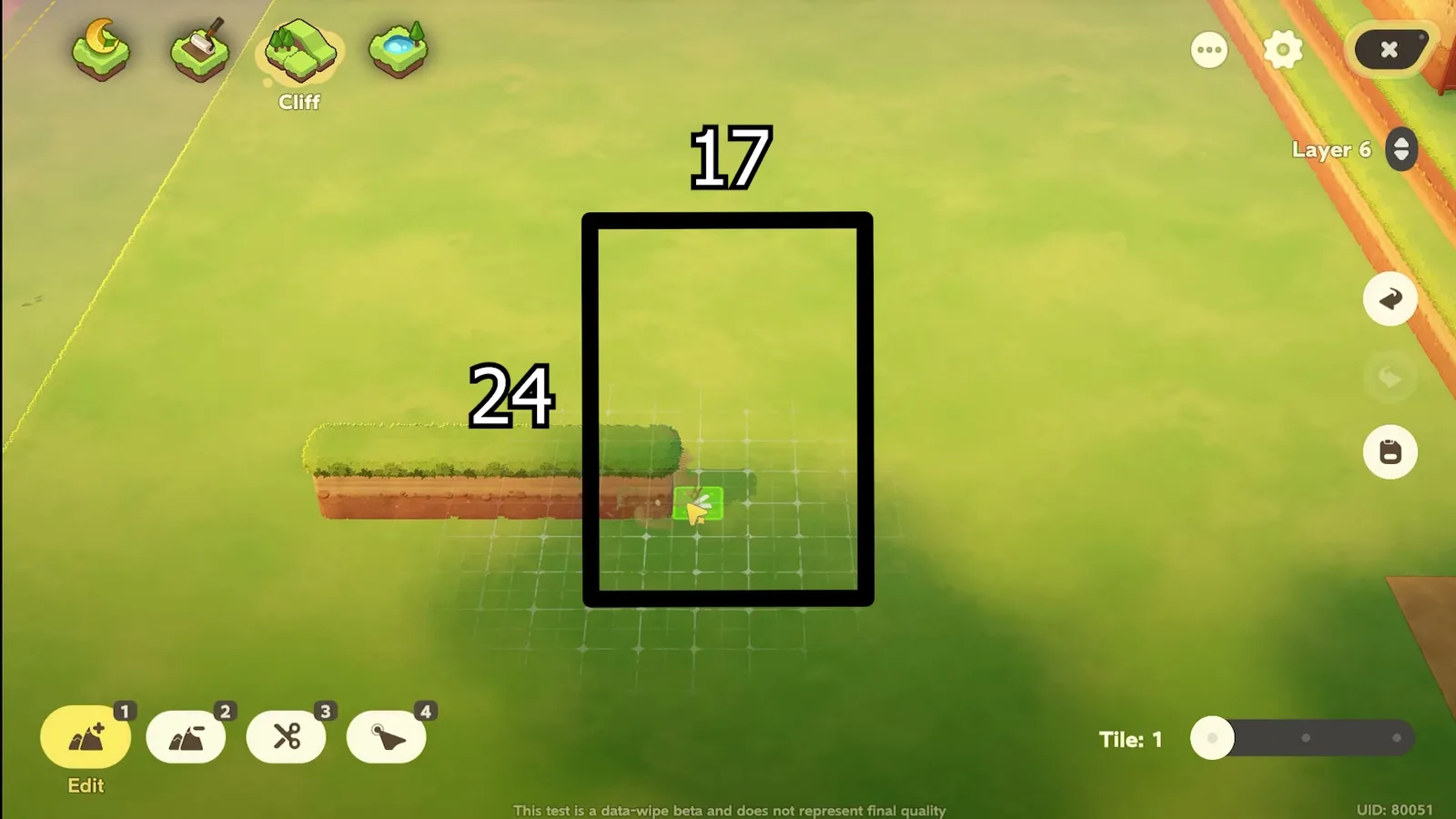
Pick Cliff, Tile 1, and draw the outline one tile at a time: a wall 24 tiles along the front and 17 tiles deep. Then raise the brush to Tile 3 and fill the inside. Strawberry Milk Farm puts the two numbers on screen as an overlay while she draws. The game’s grid only appears around the cursor, so we cannot count every tile ourselves, but nothing in the footage contradicts them.
Steps 2 and 3: stacking the terraces
The second layer goes on top of the first, but not flush with it. On the 17-tile side, it starts 7 tiles back from the front edge, which leaves a deep lower ledge for the bottom of the river, the farm and a house. She marks the spot with one raised tile against the side wall, then draws the walls and fills at Tile 3 and Tile 2.
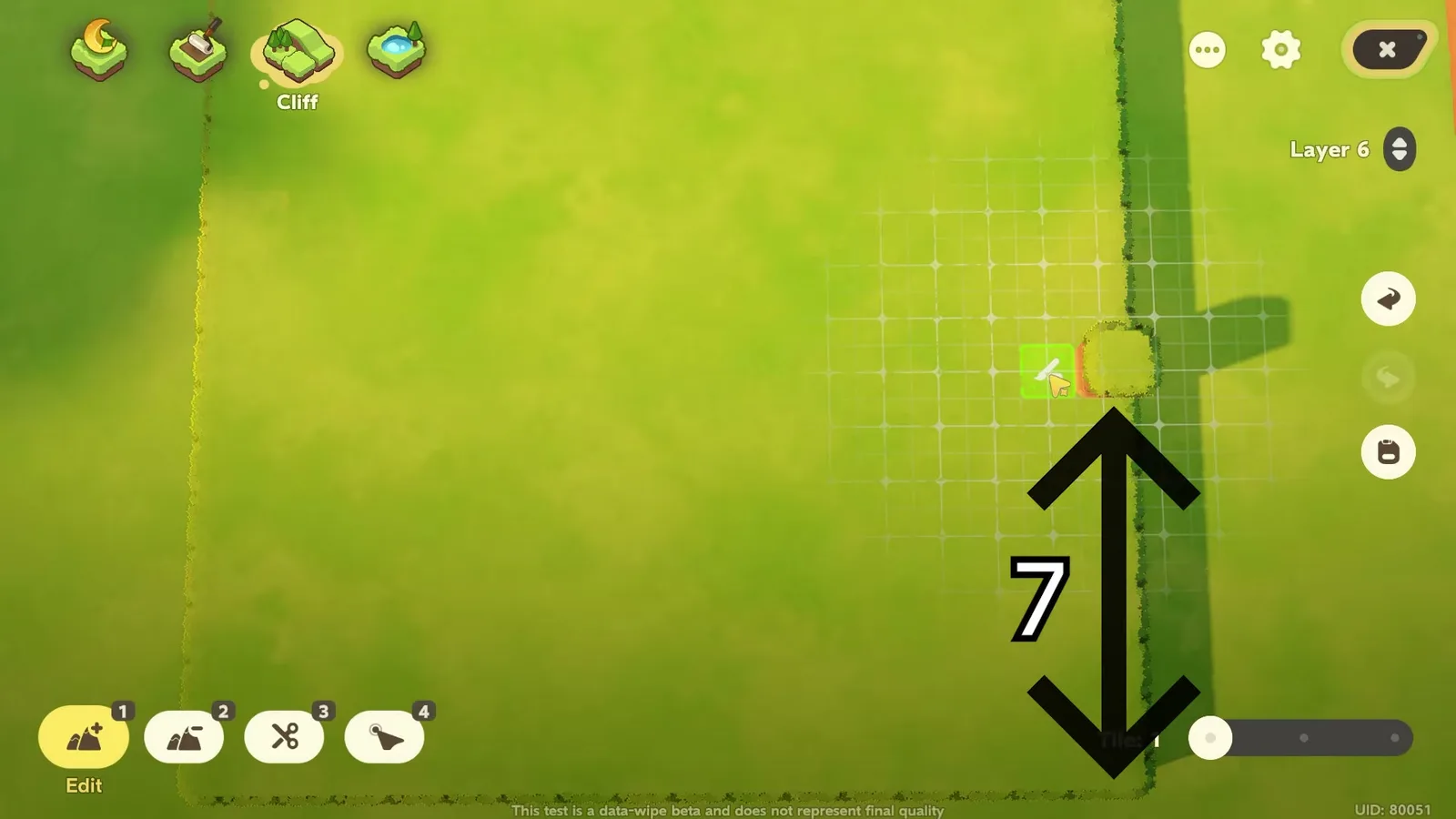
The top layer is set back again: 6 tiles from the second layer’s front and 1 tile in from its side. That single-tile shoulder on the side is what lets the river step down the side of the hill instead of falling straight off the front. By the grid spacing around the cursor, both distances hold.
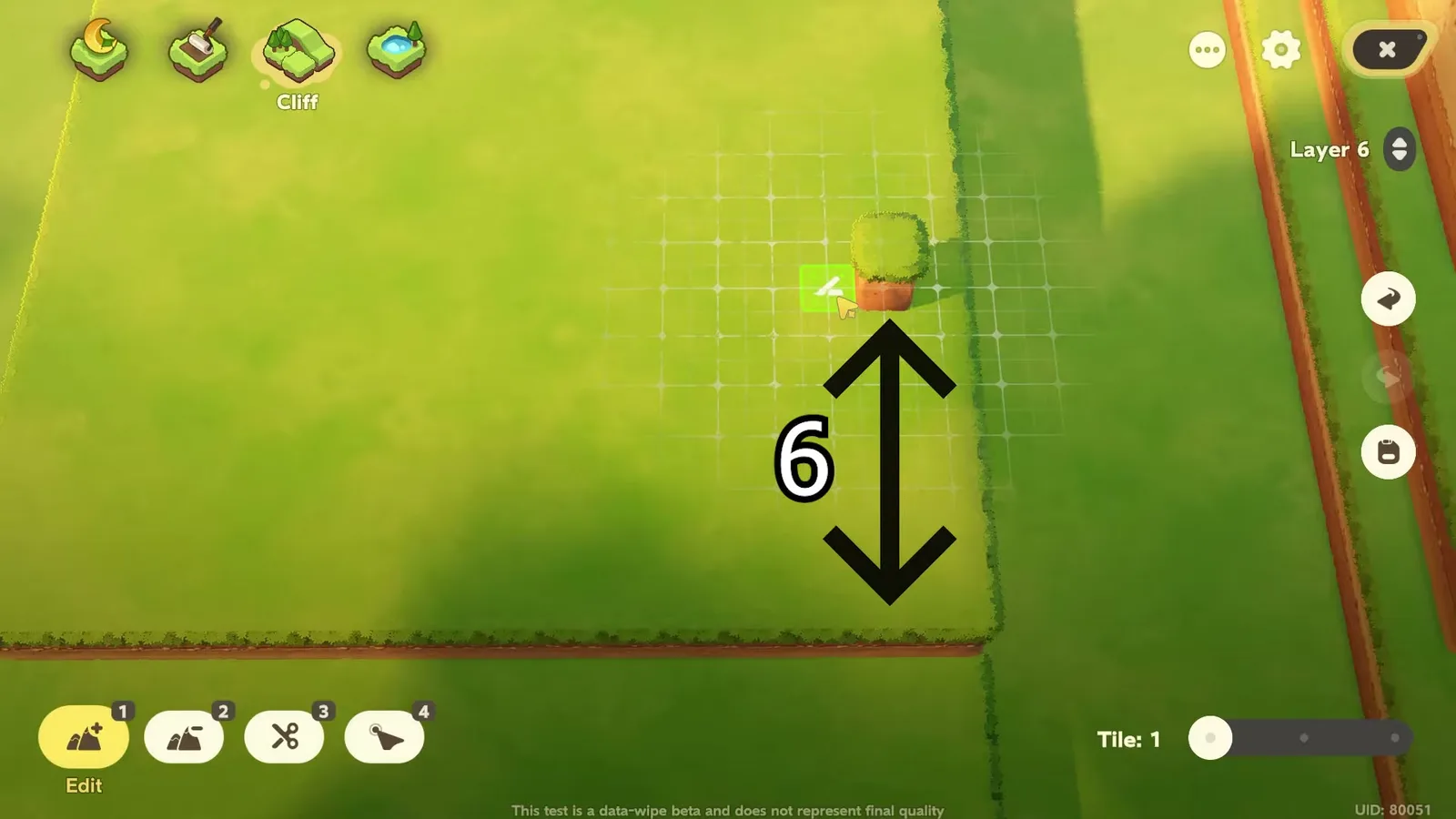
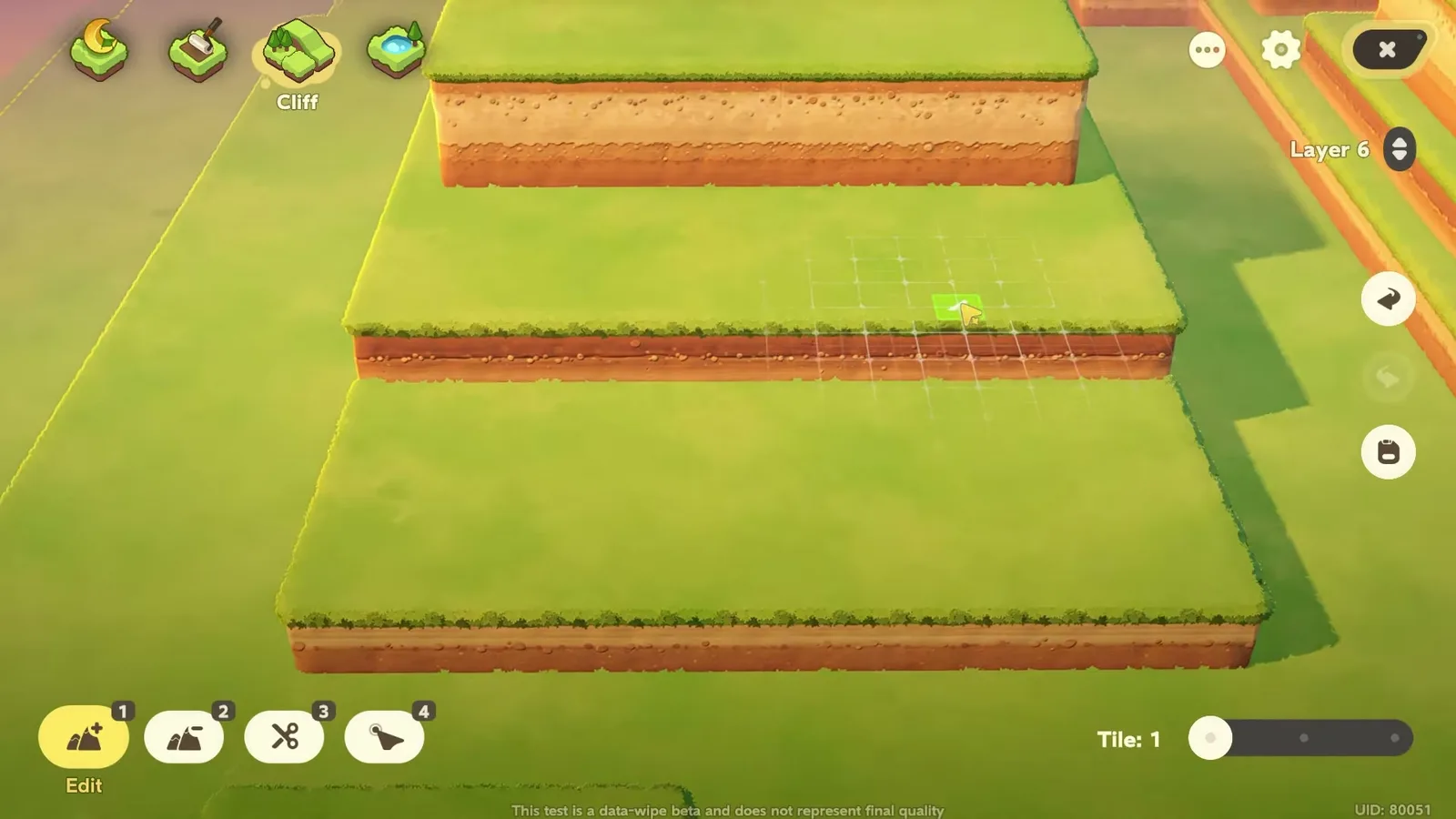
Two steps are not in the narration. At 1:33 she outlines one more block behind the top layer, 10 tiles deep by her overlay, which gives the highest terrace its taller earth face. At 1:56 she raises a small separate block on the ground in front, which ends up beside the lower pool. The result, before any water, is three clean terraces.
How do you make a river and waterfalls in Petit Planet?
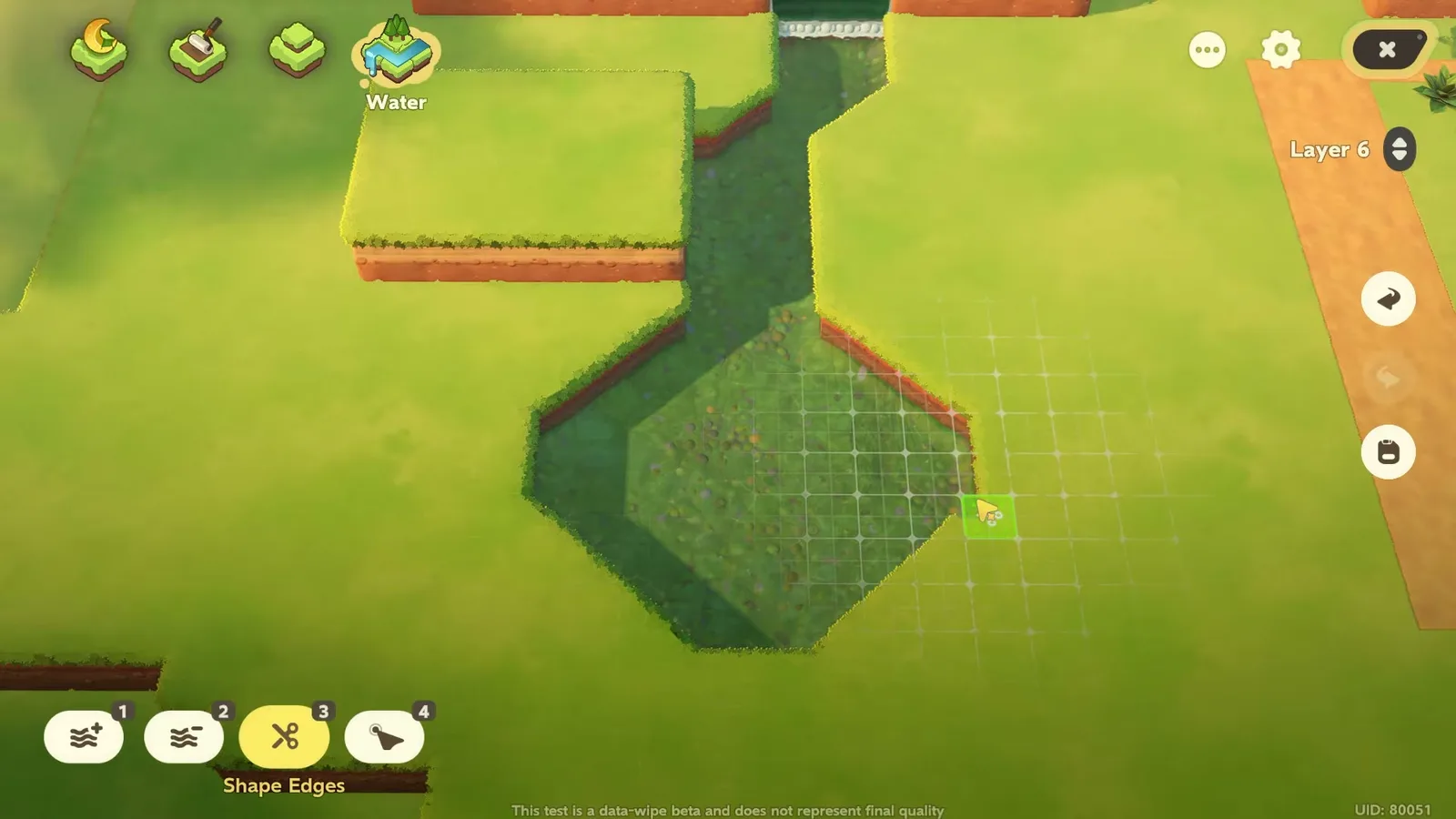
Switch to Water, 1 Edit, Tile 1, and start at the top. Strawberry Milk Farm paints a rounded, stepped pool on the highest terrace, then drags a channel about three tiles wide from it over each ledge. You do not place waterfalls: wherever the water crosses a cliff edge, the game draws one, foam included. The channel zig-zags across the first layer and widens into a diamond-shaped pool on the ground.
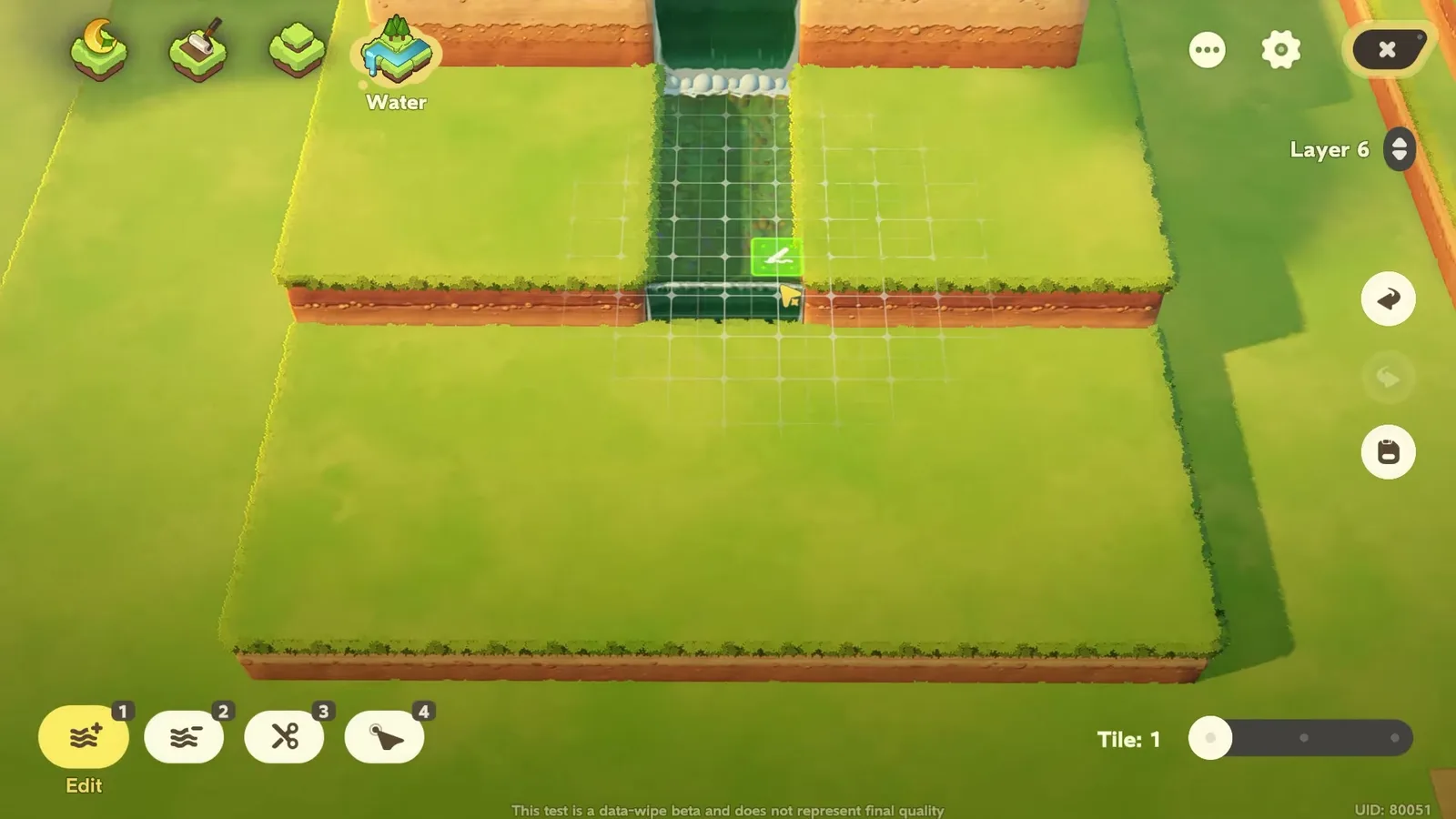
The last touch is Shape Edges. Painted water has square, stepped banks; the scissors tool cuts them into diagonals tile by tile, which is what makes the bottom pool read as a river bend rather than a stack of squares. She comes back to it after placing the waterwheel at 3:56 to trim the bank around it.
Placing the two Neighbor houses
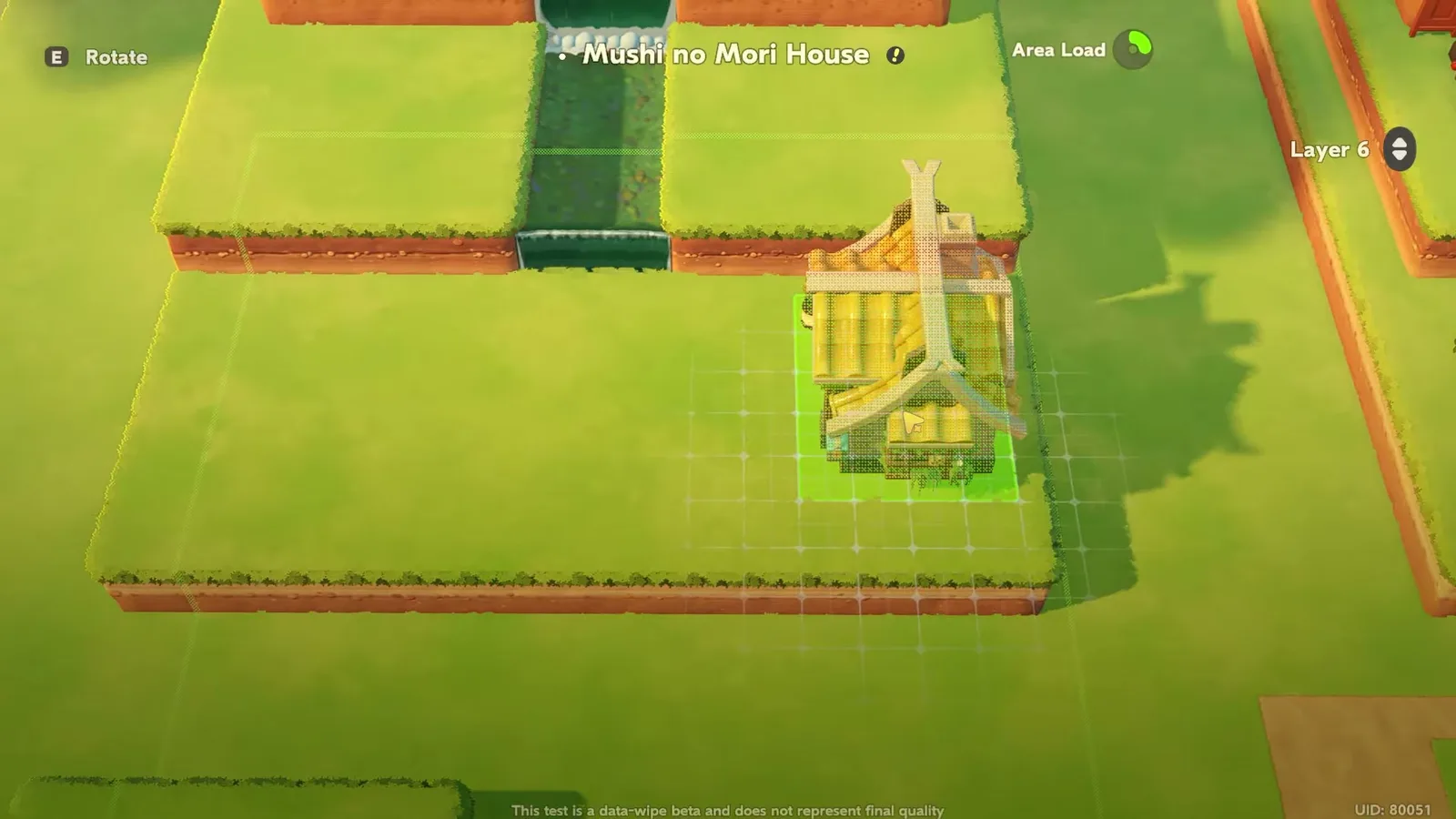
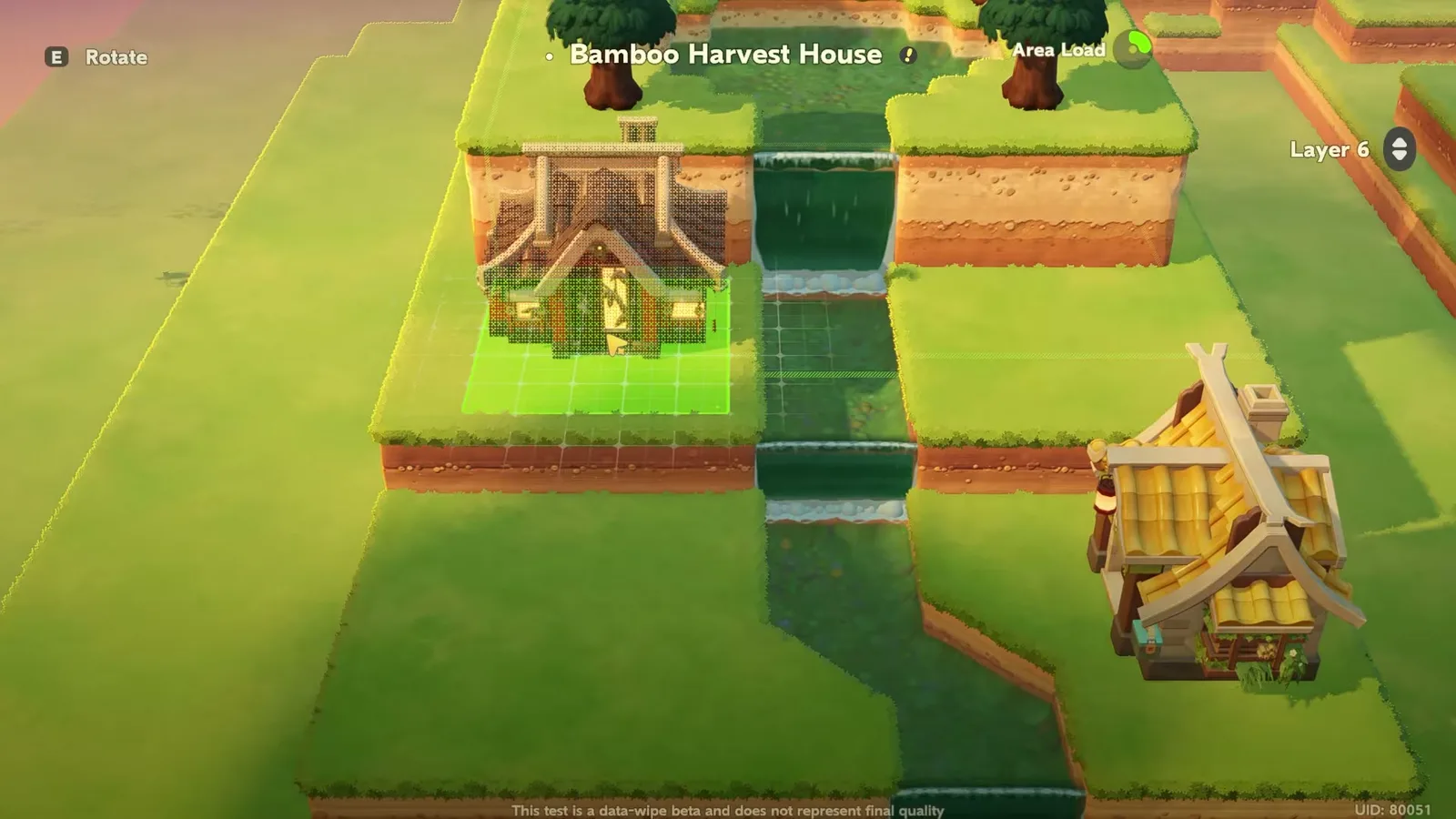
The village’s two buildings are Neighbor homes: the Mushi no Mori House goes on the right-hand terrace at 2:32, before the river is even finished, and the Bamboo Harvest House on the upper left at 3:08. Like every home on the Neighbor list, they belong to someone: in this site’s database they are Isaki’s and Yunguo’s houses, built through Loomix Homes once those Neighbors move in, and the Luca Arbor levels decide how many Neighbors your planet can hold. Isaki’s takes 10 Tree Sap, 10 Iron Ore and 20 Broken Wood; Yunguo’s 10 Tree Sap and 15 Broken Wood. A house is placed like any other item, with E to rotate, and she moves the Bamboo Harvest House once at 3:27 to fit it in front of the dividers.
What furniture does the river village use?
Here is everything in the build that the Planetmaker names, with what our database records for it. Plants are left out: she uses Fir, Bamboo, Shrub, Plum Tree, Azalea Bush, White Daisy, Agave, Yellow Sunflower and Ginkgo, all placed from the Plants tab.
| Piece | In the build | Size | Where it comes from | Crafting |
|---|---|---|---|---|
| Mushi no Mori House | 1 | not recorded yet | Loomix Homes | 10 Tree Sap, 10 Iron Ore, 20 Broken Wood |
| Bamboo Harvest House | 1 | not recorded yet | Loomix Homes | 10 Tree Sap, 15 Broken Wood |
| Simple Wooden Bridge | 2 | 1.0 × 4.0 | Crafting | 10 Broken Wood, 5 Stone |
| Harvestsong Tea Table | 1 | 1.0 × 1.0 | Yunguo Neighbor Events, Inspo Card: Yunguo Neighbor Events | 10 Bamboo Log, 10 Stone |
| Harvestsong Bamboo Chair | 2 | 1.0 × 1.0 | Yunguo Neighbor Events, Inspo Card: Yunguo Neighbor Events | 10 Bamboo Log, 10 Broken Wood |
| Harvestsong Grow Bed | 2 | 1.0 × 1.0 | Yunguo Neighbor Events, Inspo Card: Yunguo Neighbor Events | 10 Bamboo Log, 10 Broken Wood |
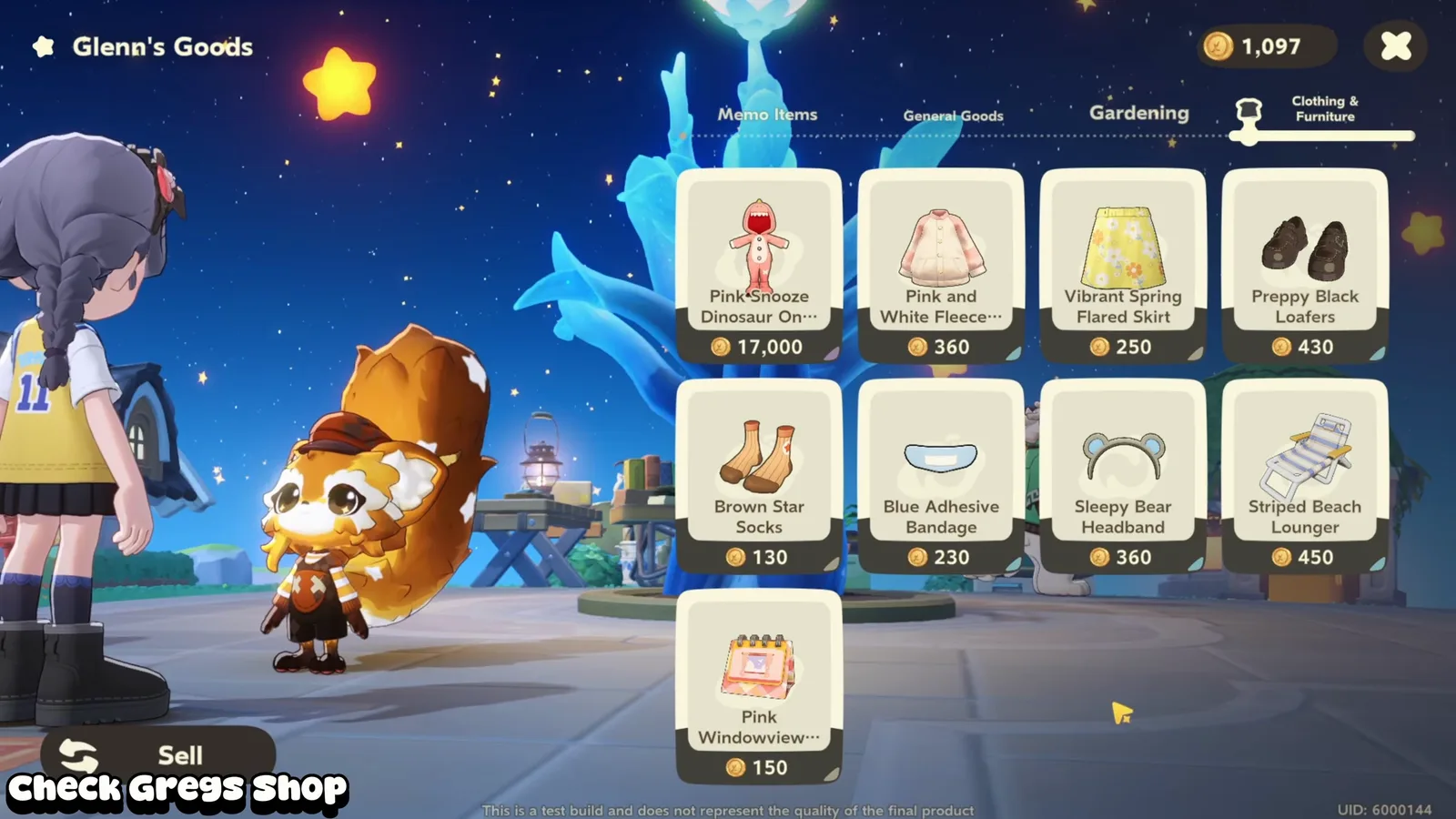
| Rustic Wooden Divider | several | 1.0 × 0.5 | Glenn’s Goods | none |
| Grassy Ramp | 2 | 2.0 × 4.0 | Glenn’s Goods | none |
| Lightwood Garden Steps | 1 | 2.0 × 4.0 | Inspo Card: Loomix Mart | 30 Flamewood |
| Wildwinds Terrarium | 1 | 2.0 × 1.0 | Isaki Neighbor Events, Inspo Card: Isaki Neighbor Events | 10 Ginkgo Wood, 15 Broken Wood |
| Daisy Cushioned Chair | 2 | 1.0 × 1.0 | Loomix Mart | none |
| Laneway Iron Round Table | 1 | 1.0 × 1.0 | Glenn’s Goods | none |
| Windwhisper Creek Waterwheel | 1 | 2.0 × 3.0 | Loomix Mart | none |
| Grainharvester’s Haystacks | 1 | not recorded yet | Inspo Card: Self-Service Vending Cart | 8 Normal Wheat, 20 Wildgrass |
| Grainharvester’s Wheat Bouquet | 1 | not recorded yet | Blueprint Reward | none |
| Wooden Picket Fence | a run | 1.0 × 1.0 | Glenn’s Goods, Story | none |
Three of the pieces are Yunguo’s: the Harvestsong tea table, bamboo chairs and grow beds come from her Neighbor events, so the bamboo grove is the part of the build you unlock last. The Wildwinds Terrarium comes from Isaki’s events in the same way. The rest is ordinary stock: Glenn’s Goods for the dividers, ramp, iron table and fence, the Loomix Mart for the daisy chairs and the waterwheel. The fence she runs around the wheat at 4:40 never shows its name; by its shape it is the Wooden Picket Fence, which sells for 2 Dough. One more piece is in the opening shots but never placed on camera: the scarecrow by the tomatoes, which matches the Ol’ Trusty Scarecrow.
The bamboo grove and the seating corners
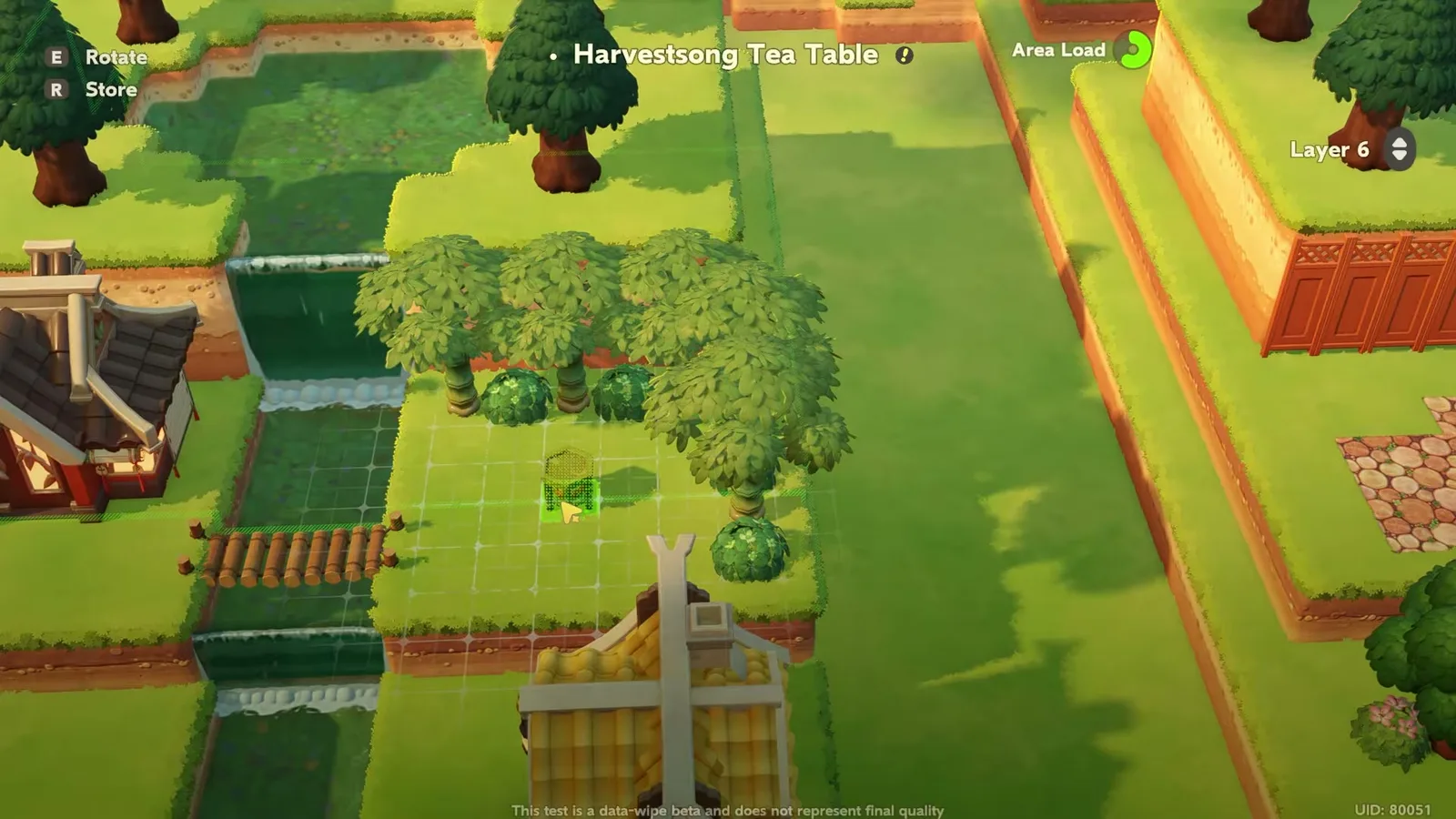
The middle terrace becomes a bamboo grove: a row of Bamboo with Shrubs between them at 3:10, the Harvestsong Tea Table at 3:23 with a bamboo chair on each side, and a run of Rustic Wooden Dividers along the back cliff. A Simple Wooden Bridge crosses the river beside it. Further down, two Daisy Cushioned Chairs and a Laneway Iron Round Table make a second seating corner, ringed with Azalea Bushes and White Daisies.
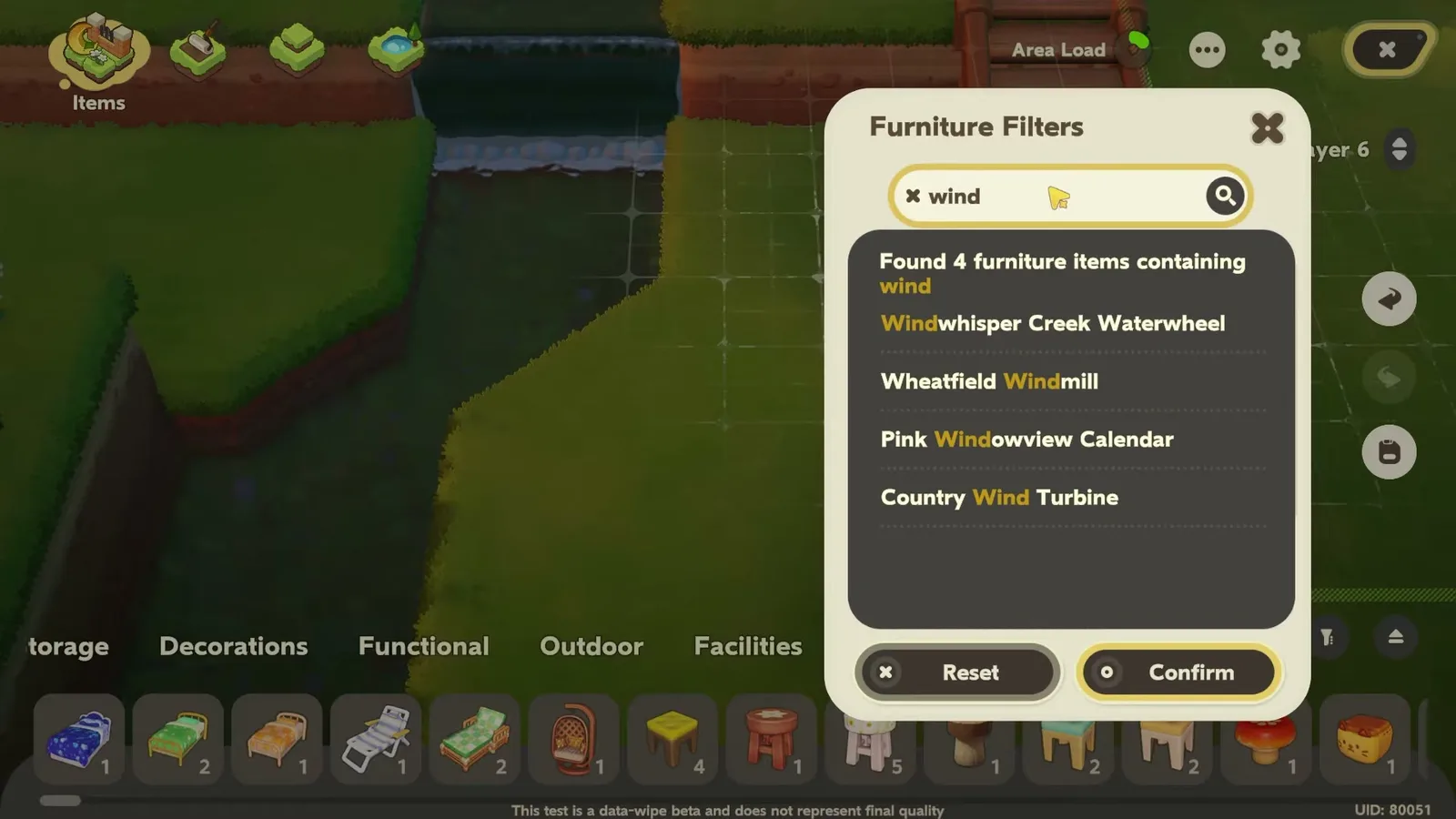
A tip worth stealing from the footage: when you know the item’s name, type part of it into Furniture Filters rather than scrolling. She types “wind” and gets four results, the Windwhisper Creek Waterwheel among them. The search covers your whole furniture list, oddly including one dish.
Which paths does the build use?
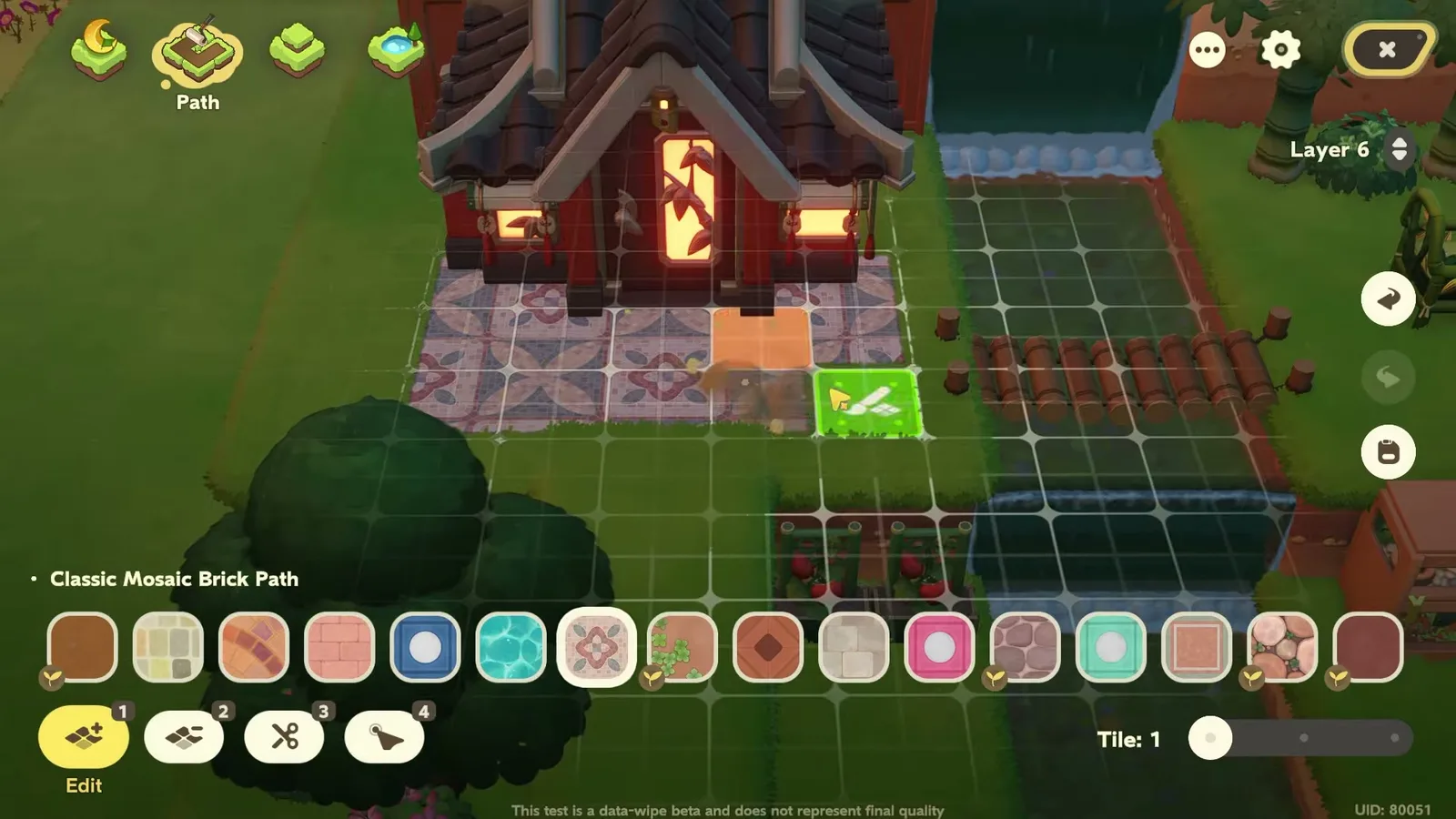
Four, one per area, all from the Path section’s palette of sixteen styles. Simple Brick Path goes under the daisy seating square, Classic Mosaic Brick Path in front of the Bamboo Harvest House, Rustic Dirt Path along both sides of the lower bridge, lined with Agave, and Cobblestone Path around the Mushi no Mori House. Changing the path is what tells each corner apart from the air, more than the furniture does.
Planting the wheat field by hand
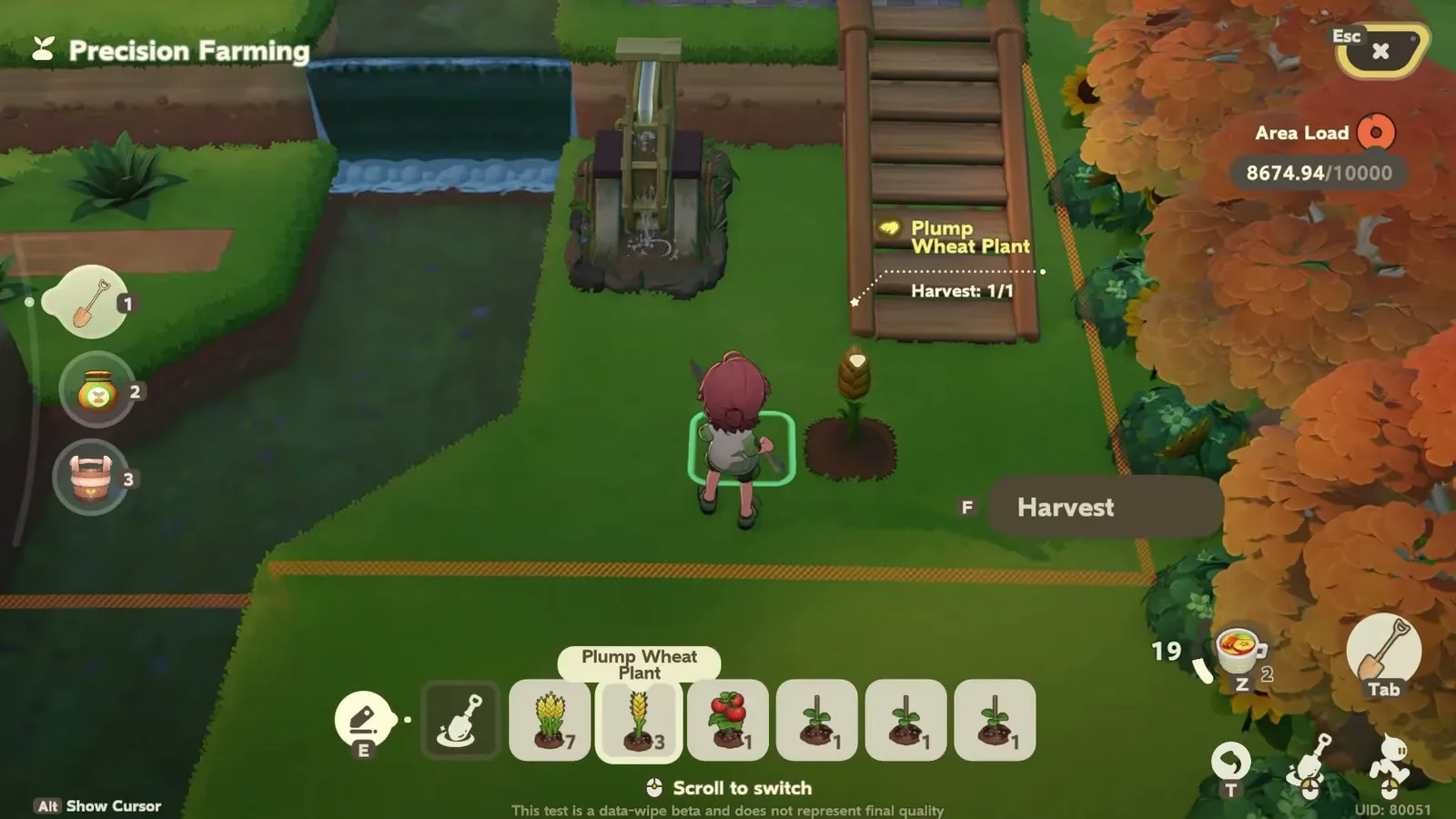
The front ledge, the one the 7-tile setback left free, becomes a field. She switches to Precision Farming and plants Plump Wheat, ordinary Wheat and Tomato Seedlings tile by tile, then runs a fence around them and adds Grainharvester’s Haystacks and a Wheat Bouquet. Two practical notes from the footage: digging uses Strength, and at 4:33 she runs out (“You can’t use tools when you’re out of Strength”) and has to eat; and a tomato seedling reads “1d, Harvest: 3/3”, so this field keeps producing. Our crop list has the full timers.
How much of your Area Load does it use?
This is the number to watch if you copy the build. The Planetmaker’s Area Load meter, out of 10,000, climbs as items go down: 8,000.34 at 3:55, then 9,881.54 at 4:32 after the field. The finished village uses almost all of it. If you want to add lights, more furniture or a third house, plan to trim elsewhere, or build smaller terraces than 24 × 17.
The village at night
No lamps are placed anywhere in the build. At night the light comes from the two houses’ windows and the lantern on the Mushi no Mori House, which is enough because the terraces keep everything close together. A couple of lanterns along the river would be the easy upgrade, Area Load permitting.
What the video does not settle
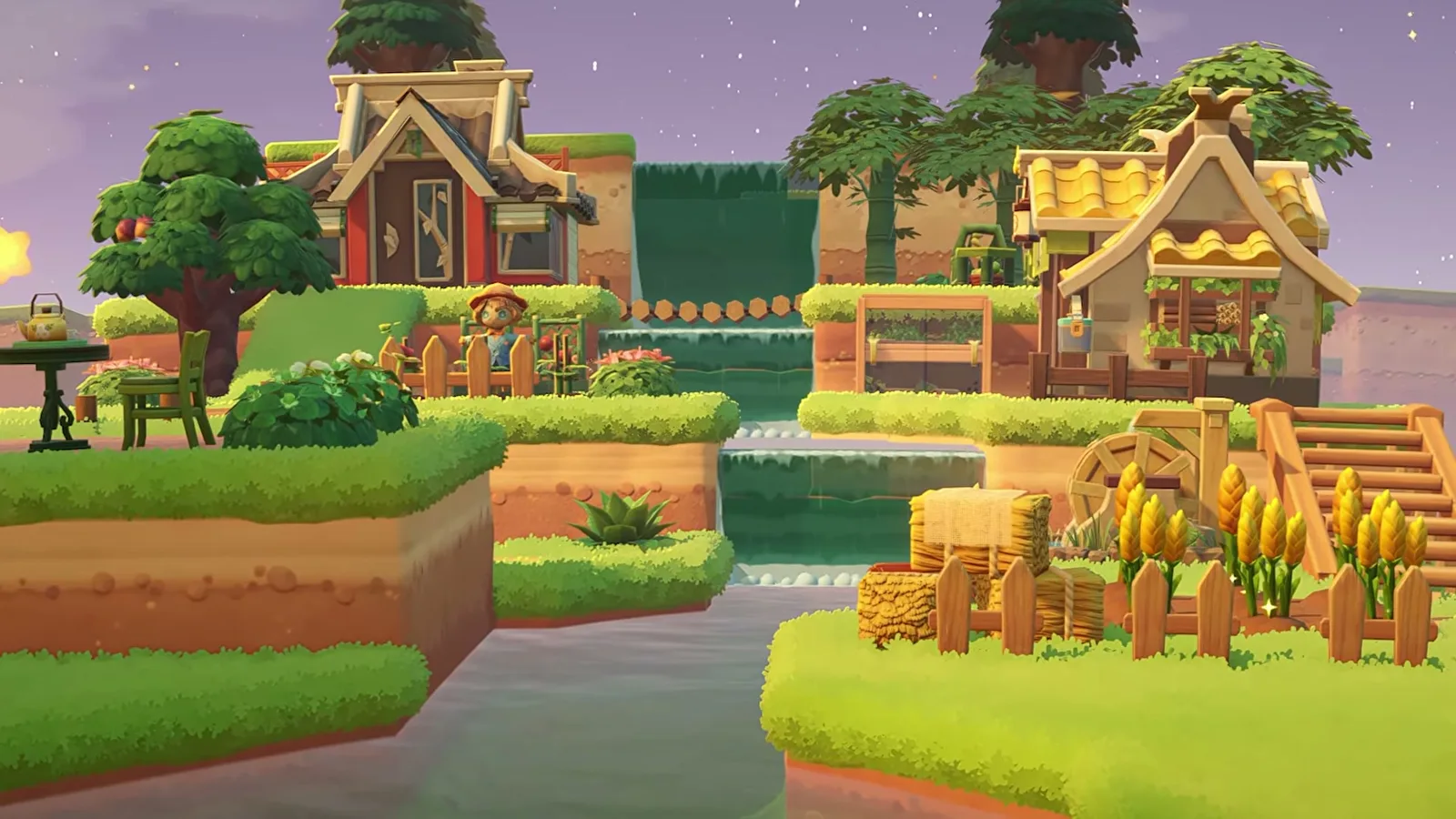
It is a silent timelapse, so some things stay open. The 24 × 17 base is the creator’s overlay, not something we could count. The opening shots do not match the end of the build exactly: they show a round-stone path at the Bamboo Harvest House where the build ends with mosaic brick, and the tomato field and scarecrow are never shown being made. A dark rail fence by the Mushi no Mori House and a blue crystal fountain outside the build are not named anywhere. And it is all Stardrift Test footage: the cliff and water tools, the layer numbers and the Area Load cap may work differently at launch. The release date page follows the tests, and the furniture database has every piece in the table above with its picture.
Sources
Data from The Petit Planet Wiki (CC BY-NC-SA 4.0), recorded in the 0.95 (Final Beta Test) build. Petit Planet has not launched: names, prices and drop sources can still change.